The First Hour After Your Phone Is Stolen
LineCast Networks

Apple's support page for a stolen iPhone contains a sentence that looks, at first reading, like an error. In the instructions for marking a device as lost, directly under the link to iCloud.com/find, it says: "You don't need a verification code to sign in, so you can sign in and mark your device as lost even if your trusted device was stolen."
The received version of two-factor authentication is that the phone is the key to everything, and therefore that losing the phone means losing access to the very account you would use to kill the phone. Apple has cut a deliberate hole in its own security at exactly the point where the security would otherwise work against you. Your Apple Account password, typed into a borrowed browser in a hotel lobby, is enough to lock the handset from the other side of a continent.
Google makes no such concession, and it is worth being clear about the difference rather than assuming the two companies behave alike. On Android you sign in to your Google Account the ordinary way, second step and all. Then, having picked the missing handset in Find Hub, you may be asked for that device's lock screen PIN as well, a prompt Google applies to Android 9 and higher; a phone with no PIN, or one running Android 8 or lower, gets asked for the Google password instead. So Android adds a hurdle at precisely the spot where Apple removes one. That is the reason the backup codes in the last section of this piece matter far more to an Android user than to an iPhone one, and the reason to read that section before you need it.
What the two approaches do share is narrower, and still worth carrying: in the minutes after a theft, the thing that rescues you is something remembered, not something held.
That is the shape of the first hour. Very little of it involves buying a replacement phone, and almost all of it goes faster on a borrowed laptop than at a shop counter.
Borrow a screen before you buy a handset
The first useful object is not a phone. It is any device with a browser and a keyboard: a hotel business centre, a hostel desktop, a friend's laptop, a stranger's phone if you have to ask.
For an iPhone, go to iCloud.com/find, sign in, select the device under All Devices, and choose Mark as Lost. For an Android device, go to Find Hub in a browser and pick the device from the list. Google is explicit about what the remote actions need from the handset itself: power, a mobile data or Wi-Fi connection, a Google Account signed in on it, Find Hub switched on, and the device visible on Google Play. A phone already switched off and sitting in a rucksack will not obey you.
That is the honest limit of the whole exercise, and worth stating plainly: none of this is a tracking beacon that defeats a professional. Apple's Find My network is enormous, more than a billion devices reporting anonymously, and it will often surface a location. But if Find My was not enabled before the theft, the device will not appear at all and cannot be marked as lost or erased. Apple's advice in that case is short and unglamorous: change your Apple Account password immediately.
Two details about location are worth knowing before you stare at a map. The first is that a blank map at hour one is not a blank map at hour six, for the dull reason that the handset may not be online yet and will report the moment it touches a network. The second runs the other way, and it is the one people get backwards. Apple keeps a device's last reported position visible for seven days in the Find My app, and on iCloud.com the window is 24 hours. Once seven days go by with nothing new arriving, Find My stops offering a position and shows "No location found." A pin you can see today is not a pin you can rely on next week.
And if the phone appears somewhere you do not recognise, Apple's instruction is unambiguous: do not go and get it. Contact local law enforcement instead. People have been badly hurt following a blue dot into a stairwell.
Lock is not wipe, and lock comes first
The instinct is to erase everything. Resist it for a few minutes, because erasing cannot be undone and lock mode does most of the work.
Lost Mode locks the iPhone with its passcode and, on devices set up for Apple Pay, suspends the payment cards and passes stored in Wallet. If you had Stolen Device Protection turned on, a thief who watched you type your passcode in a bar still cannot turn Lost Mode off, because Apple puts that action behind Face ID or Touch ID and refuses the passcode as a substitute. Mark the device as lost anyway, Apple says, and it gives the reason: those additional safeguards are temporary, and they expire on a clock you are not watching.
Android has grown a similar set of teeth, though one of them has to be fitted before the theft rather than after. Remote Lock will lock the screen from android.com/lock with nothing more than your phone number, but it is opt-in. You switch it on under Settings, then Google, then Theft protection, and it does not finish activating until your number is verified. Turn up at android.com/lock having never done that and you get nothing. At the site you enter the number, clear a reCaptcha, and, if you added one in advance, answer your security question; a wrong answer fails the lock outright. Google's other prerequisites are an active SIM card in the device, a screen lock, Find Hub turned on, and an internet connection. You get two remote locks in any 24-hour period, so it is not a thing to test for fun.
That active SIM requirement is a small argument for locking the screen before you ring the carrier to suspend the line. Identity Check, available on some devices, goes further: outside your trusted places, biometrics with no PIN fallback are required to run a factory reset, to turn off Find Hub, or to add or remove a Google Account.
Two mistakes to avoid while you are in there. First, do not put your phone number on the lock screen message. That field exists for a phone left in a taxi, and Apple's warning about the other case is that a thief might use your contact details for social engineering schemes. Second, do not remove the device from your Find My list, even after you erase it. Removing it also removes Activation Lock, which is the thing standing between a stolen iPhone and a resale.
When you do decide to erase, the erase queues. If the device is offline the process starts the next time it connects. On an iPhone running iOS 15 or later you can still locate it after wiping. On Android, the wipe is a factory reset, and setting the device up again afterwards requires your Google Account password.
Then watch for phishing. Apple warns that approaches arrive by email and by text, claiming your phone has been located and asking you to confirm your Apple credentials. Apple's page says it flatly: "Apple will never contact you to say that your iPhone or iPad has been found."
Reaching your bank when the bank's number was in the phone
The number to call your bank is printed on the back of a card, and cards travel in wallets, and wallets are what get taken alongside phones. This is the point at which most people improvise, badly, by searching for a bank phone number and calling whatever appears at the top of the results.
Two structural answers exist and both are worth memorising for the countries you visit often.
In the United Kingdom, 159 connects to your own bank. It was built specifically so that there is a route back to safety that, in Stop Scams UK's phrase, "cannot be spoofed or impersonated", and it now reaches customers of more than 99 per cent of British retail current accounts. It is a short code, so treat it as the number for when you are home or for the person helping you from home, and treat the international number on your card statement as the one that works abroad.
In Germany, 116 116 is a single blocking hotline that runs 24 hours a day, seven days a week, and covers more than bank cards. It will block a girocard, a credit card, online banking access, an electronic ID card and a SIM card, and it is reachable from outside the country on +49 116 116 or +49 30 4050 4050. One call, several problems closed.
The general rule underneath both examples: you place the call, always. Never accept an incoming call about the theft, however plausible, and never read a verification code aloud to anyone who rings you.
What the carrier can do, and what a chip in a tray cannot
Report the loss to your mobile operator early. American regulators put this in blunt terms: you may be liable for whatever was charged to the account before you reported the device gone, you should ask the provider to disable it and cut off access to what it holds, and you should get written confirmation that you made the report and that the device was disabled. That written confirmation is the document an insurer asks for later, and it is much easier to obtain on the day than three weeks afterwards.
Here is where the physical SIM and the eSIM part company.
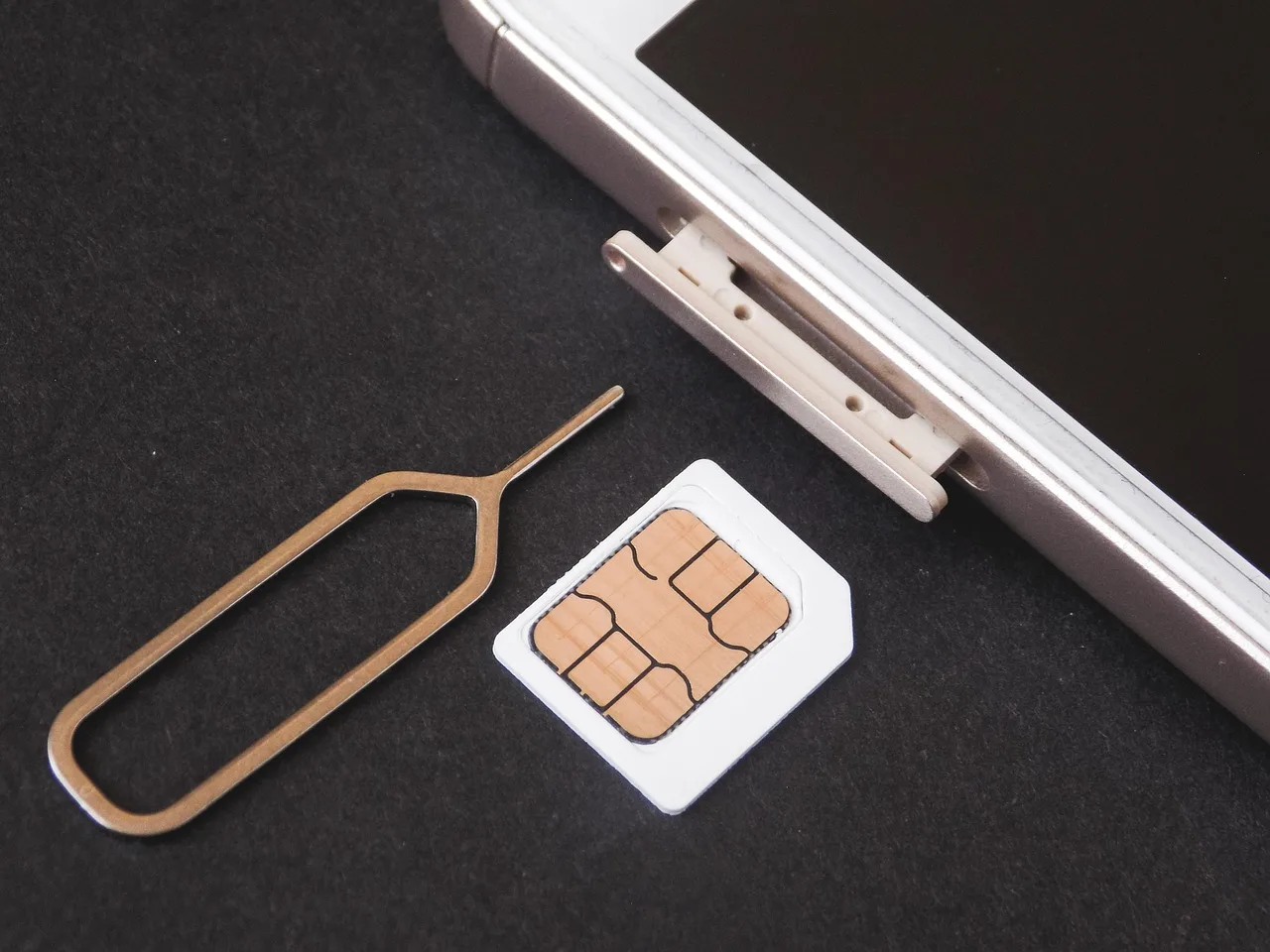
A plastic SIM is a small object in a tray. Anyone with a paperclip can eject it in a few seconds, and a thief who does that has removed your number from the phone entirely. Getting the number back means a replacement card, which means an object, which means a shop or a postal address. Neither is much use in a country you are leaving on Thursday.
An eSIM is a profile, not an object, and it cannot be flicked out on a bus. On an iPhone with Stolen Device Protection active outside familiar locations, setting up or transferring an eSIM sits on the list of actions that demand Face ID or Touch ID, and the passcode will not stand in for it. Your number is bolted to a device the thief cannot authenticate to.
The restore path is different in kind, too. Apple documents eSIM Carrier Activation: you contact the operator, and if they support it they send an eSIM to the replacement handset digitally, with no plastic in transit. Apple documents a second route, eSIM Quick Transfer, and that one is closed to you here, because it moves a number off your previous iPhone, which means having the previous iPhone in your hand, which is the whole problem. Knowing that in advance saves twenty minutes of hunting through a settings menu for an option that cannot help. In practice, a replacement phone plus a Wi-Fi connection plus one call can put your own number back on a screen the same afternoon where the operator is quick about it, without a courier and without a queue at a franchise counter. Whether a travel data plan can be reinstalled on new hardware depends entirely on the provider, so the useful preparation is knowing where the activation email lives and being able to reach it from a device that is not the one that was taken.
None of this makes a phone theft-proof. A thief who powers the handset off, or pulls it into airplane mode before the screen locks, has bought themselves quiet. It makes the recovery survivable, which is a lower and more achievable standard.
The report, and the number the police will ask for
File a police report. In the European Union, 112 reaches emergency services from any fixed or mobile phone, free of charge, everywhere in the bloc. For a theft you have already survived, the non-emergency route is more appropriate: in Britain that is 101 or an online crime report.
They will ask for the make, model, serial number and IMEI. Google's page tells you where the IMEI lives on Android, under Settings and then About Phone, and notes that the operator can use it to pause services and that law enforcement may want it too. Apple lets you find a device serial number without holding the device. Both of which are excellent, and both of which involve a working phone or a signed-in account, which is why the number belongs somewhere else in advance.
What to write on paper
Apple gives the clearest possible instruction on this, about the recovery key that some accounts use in place of the standard recovery process. Its words: "Print a copy of your recovery key or write it down. Keep your key in a safe place, and consider storing a copy in more than one place." Then the warning, which applies far beyond recovery keys: "Don't store your recovery key in your Apple Passwords app, iCloud Photos, Notes, or iCloud Drive. If you lose access to your Apple Account, you won't be able to open these apps to find it." And if you cannot produce the key when it is asked for, Apple states the consequence without softening it: you are locked out of the account permanently.
Google's account recovery guidance carries an equally instructive line, arguably an accidental one. Its tips for getting back in are to use a computer you frequently sign in from, the browser you usually use, and a location where you normally sign in, such as home or work. Every one of those conditions fails in a rented room in Lisbon. The workaround is to generate 2-Step Verification backup codes in advance, ten of them, each of which stops working once you have used it, and carry a printed set separately from the phone.
So the paper. One index card, folded into the part of your luggage that is not the part with the phone in it. On it: the email addresses your Apple and Google accounts use, a set of backup codes, your recovery key if you have one, the IMEI and serial number of the handset, the international dialling number for your bank and your mobile operator, your travel insurance policy number, and one phone number of a person at home, written out in full with the country code, because you no longer know anyone's number by heart and neither does anyone else.
The hour after a theft is mostly waiting: for a browser to load, for a bank's hold music, for a police officer to find the right form. The parts that go quickly are the parts you set up weeks earlier, in a calm room, for a phone that had not yet been stolen.
Sources
- If your iPhone or iPad was stolen - Signing in at iCloud.com/find without a verification code, Mark as Lost, why contact details are a liability on a stolen device, why the device must stay on your Find My list, how a remote erase queues, and Apple never getting in touch about a found device
- About Stolen Device Protection for iPhone - The biometric requirement that refuses a passcode substitute, covering both turning off Lost Mode and setting up or transferring an eSIM, plus the fact that the extra measures are time-limited
- Use Find My to locate your lost Apple device or AirTag - Lost Mode suspending Apple Pay cards and passes, the seven-day and 24-hour visibility windows for a device's last reported position, and the scale of the Find My network
- Set up a recovery key for your Apple Account - The quoted instruction to print or write down the recovery key, the quoted warning against storing it in Apple's own apps, and permanent lockout if it cannot be produced
- Set up eSIM on iPhone - eSIM Carrier Activation after you contact the carrier, and eSIM Quick Transfer requiring the previous iPhone in hand
- Set up cellular service on iPhone - Carrier Activation and Quick Transfer as the two supported eSIM setup routes
- Find, secure, or erase a lost Android device - What the handset must have before a remote secure or erase will work, the lock screen PIN prompt on Android 9 and higher, and needing the Google Account password after a wipe
- Protect your personal data against theft - Remote Lock as an opt-in feature needing a verified number, what android.com/lock asks for including the optional security question, the twice-per-24-hours limit, Identity Check enforcement outside trusted places, and where the IMEI lives
- Sign in with backup codes - Backup codes as a second step when the phone is gone, ten per set, each inactive once used
- Tips to complete account recovery steps - Google's advice to recover from a familiar device, browser and location
- Protect Your Smart Device - Reporting to police with make, model, serial and IMEI, possible liability for charges predating the report, and asking the provider to disable the device and confirm it in writing
- 159 phone number - A bank route that cannot be spoofed or impersonated, covering more than 99 per cent of UK retail bank current accounts
- Sperr-Notruf 116 116 - Single German blocking hotline covering cards, online banking access, electronic ID and SIM cards, running around the clock and reachable from abroad on +49 116 116 or +49 30 4050 4050
- 112, the EU's emergency phone number - 112 available everywhere in the EU at no cost, on landlines and mobiles alike
- Contact the police - 101 and online reporting for non-emergencies in the United Kingdom